
The lists that still need contacts
Driving-for-dollars spreadsheets. County files with street and ZIP but no phone. Old CRM exports where half the numbers bounce. Those are the lists Instant Trace is for.
PropStream and CoStar already sell distress rows with contacts attached. If your export already has fresh phones, you usually do not need to re-trace — use Ziplytica for Own the Zip, permits, and Firston Sight instead. The bulk uploader fills missing or stale contacts behind a territory firewall.
Try before you claim a seat
Paste a sample into the free List Inspector tool — no account, no skip-trace vendor call. See which ZIPs the list clusters into and how many rows look Instant Trace–ready. Then Own the Zip and import for real.
How Instant Trace works inside Ziplytica
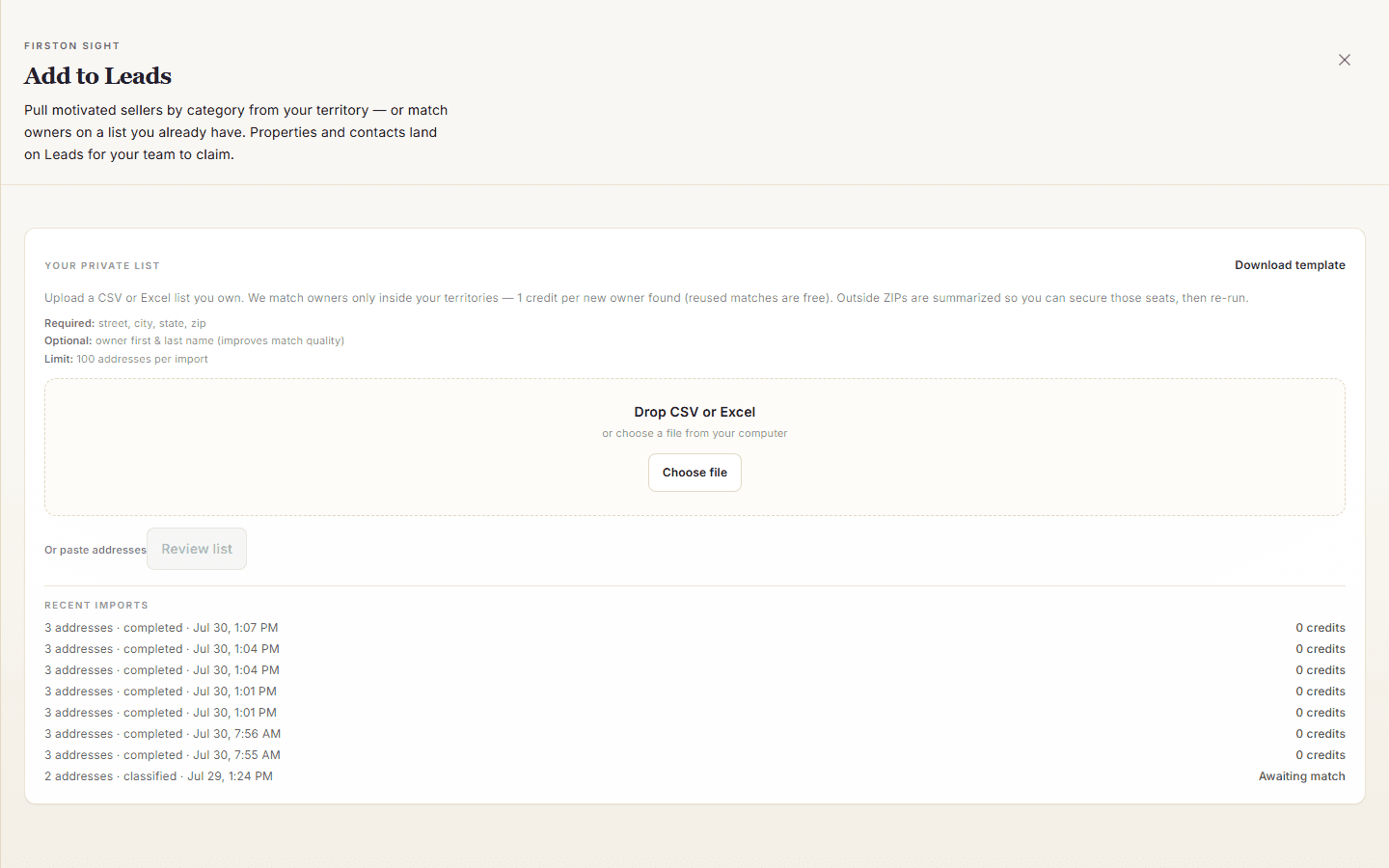
- Upload or paste — CSV, Excel, or raw rows; messy columns get cleaned up automatically
- Territory check — only addresses in ZIPs your brokerage owns are eligible; out-of-territory rows are blocked before they cost anything
- Instant Trace — 1 credit per contact hit, misses are free
- Straight to Leads — matched properties land in your queue with owner contacts
Why the territory check matters
Bulk skip-trace vendors often charge for the whole file. Ziplytica bills only when a trace lands a contact in a ZIP you own. (Vendor features and pricing can change — verify critical details with each vendor.)
Once the list is in, it stacks with Firston Sight — on-demand distress leads (pre-foreclosures, tired landlords, tax delinquent, and more) in the same queue.
Try it this week
- Paste a sample into the free Ziplytica List Inspector tool — no account, no skip-trace call.
- Claim the densest ZIPs on Territories.
- Open Import list in Command Center and Instant Trace addresses that are missing owner contacts.
Questions for the builders: founders@ziplytica.com.
Own your ZIP
Compare live permit activity across your target ZIPs on the Territories map.
Explore Territories